AI Hand Emojji ImagesTechnogeeks X AI Sale – Learn More, Pay Less

Your shopping cart

  • Home
  • Courses
  • Business Analyst with AI Prompt Engineering

Business Analyst with AI Prompt Engineering

Best Business Analyst with AI Prompt Training In Pune With 100% Placement Assistance

Best Seller Icon Bestseller
4.8
2,100+ Rating
20,000+ Students
  • Last updated 02/2026
  • English
  • Certified Course
Card image

What you'll learn

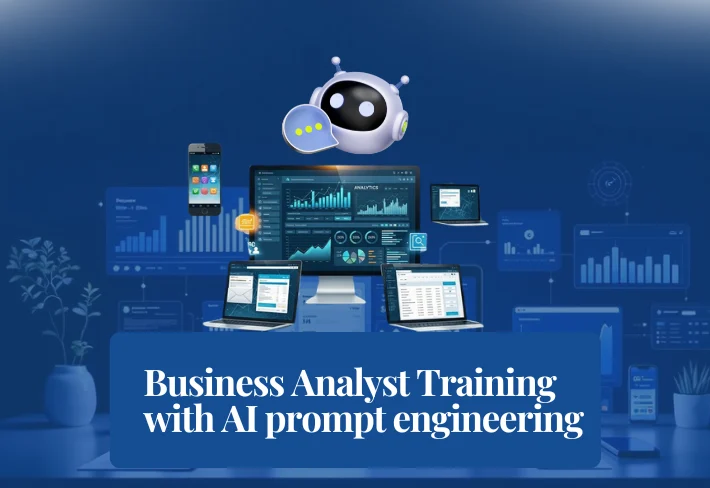
The Business Analyst Course with Tableau, Power BI, SQL, and Advanced Excel by Technogeeks X AI is designed to help students and professionals develop practical skills to analyze data and make data-driven business decisions. This industry-focused program helps learners turn raw data into meaningful insights and dashboards.

This training program starts with the fundamentals of business intelligence, data visualization, and database concepts. Students gradually learn how to work with data, analyze business problems, and create reports that support decision-making.

The course provides hands-on experience with real-world tools like Tableau, Power BI, SQL, and Excel. Through guided projects, practical assignments, and real-time scenarios, learners gain the skills required to build dashboards and deliver actionable insights.

Business Analytics is one of the fastest-growing career fields. Companies across IT, finance, healthcare, and e-commerce are actively hiring professionals who can analyze data and improve business performance.

  • Real-Time Business Analyst Projects
  • Hands-on Training with Tableau & Power BI
  • Instructor-Led Live Sessions
  • Industry-Relevant Tools and Techniques
  • Data Visualization and Dashboard Building Skills
  • Resume & Portfolio Building Support
  • Mock Interview Preparation
  • 1:1 Mentorship from Experts
  • Placement Assistance
  • Real-World Case Studies & Practical Assignments

Business Analyst Training with Tableau, Power BI, SQL & Excel

The Business Analyst Certification Training by Technogeeks X AI helps students understand how to analyze business data, create dashboards, and generate insights that support decision-making in organizations.

A Business Analyst plays a key role in bridging the gap between business needs and technical solutions. They analyze data, identify trends, and create reports and dashboards to help organizations grow and make better decisions.

During the training, students learn how data flows from source systems to dashboards using tools like SQL, Excel, Tableau, and Power BI. The program focuses on real-world use cases and industry practices.

The program includes hands-on projects, dashboard creation, data analysis tasks, and real-world business scenarios to help students gain practical industry experience.

Students will learn:

  • Business Intelligence and Data Visualization Fundamentals
  • Tableau for Dashboarding and Advanced Visual Analytics
  • Power BI for Data Modeling, DAX, and Reporting
  • SQL including DDL, DML, Joins, and Query Writing
  • Advanced SQL (PL/SQL), Stored Procedures, and Optimization
  • Advanced Excel for Data Analysis, Pivot Tables, and Charts
  • Data Cleaning, Preparation, and Statistical Analysis
  • Understanding Data Pipelines and Business Workflows

Flexible Learning Options

To make learning flexible and accessible, Technogeeks X AI offers multiple training formats:

  • Classroom Training
  • Online Live Instructor-Led Training
  • Weekend and Weekday Batches

Students also get access to recorded sessions for revision and can learn at their own pace alongside live training.
Show More

Course Content

  • What is BI (Business Analyst)
  • How BI concept can help clients to grow
  • Data Visualization real life example
  • Types of Visualization
  • Types of Charts
  • Need of SQL to visualize and customize data
  • What is Data Insight
  • Scope of Data Visualization and BI tools to make career in IT
  • Roles and Responsibilities of Data Visualization Engineer
  • Project layout with generic Architecture from source, ETL and Data Visualization
  • Introduction to Tableau
  • What is Tableau Desktop
  • Installation with recommended software for learning

  • Usage of Tableau
  • Features of Tableau Desktop
  • Connect to Data from File and Database
  • Types of Connections, Joins and Unions Data Blending
  • Tableau Desktop User Interface
  • Basic project: Create a workbook and publish it on Tableau Online

  • Visual Analytics
  • Basic Charts: Bar Chart, Line Chart, and Pie Chart
  • Hierarchies
  • Data Granularity
  • Highlighting
  • Sorting
  • Filtering
  • Grouping
  • Sets

  • Types of Calculations
  • Built-in Functions (Number, String, Date, Logical and Aggregate)
  • Operators and Syntax Conventions
  • Table Calculations
  • Level Of Detail (LOD) Calculations
  • Using R within Tableau for Calculations

  • Parameters
  • Tool Tips
  • Trend Lines
  • Reference Lines
  • Forecasting
  • Clustering

  • Count Customer by Order
  • Profit per Business Day
  • Comparative Sales
  • Profit Vs Target
  • Finding the Second Order Date
  • Cohort Analysis

  • Introduction to Geographic Visualizations
  • Manually Assigning Geographical Locations
  • Types of Maps
  • Spatial Files
  • Custom Geocoding
  • Polygon Maps
  • Web Map Services
  • Background Images

  • Bullet Chart
  • Bar Chart
  • Gantt Chart
  • Waterfall Chart
  • Pareto Chart
  • Control Chart
  • Funnel Chart
  • Bump Chart
  • Step and Jump Line
  • Donut Chart

  • Significance of Dashboard
  • Significance of KPIs
  • The Dashboard Interface
  • How to Build Dashboard
  • Interactive Dashboards with Actions
  • Designing Dashboards for Devices
  • Use Cases

  • Publishing Workbooks to Tableau Online
  • Interacting with Content on Tableau Online
  • Data Management through Tableau Catalog
  • AI-Powered Features in Tableau Online (Ask Data and Explain Data)
  • Understand Scheduling
  • Managing Permissions on Tableau Online
  • Data Security with Filters in Tableau Online

  • Real-World Tableau Project Use Cases
  • End-to-End Dashboard Project
  • Business Problem Solving with Tableau

  • Introduction & Business Analyst Overview
  • Power BI Installation
  • Power BI Products
  • Power BI Fundamentals
  • Connect Various Data Sources – Get Data
  • Transform Data using Power Query Editor
  • Data Visualizations
  • Understanding Data Types
  • Data Modelling & Relationship
  • Complete DAX Functions
  • Power BI Dashboarding Techniques
  • Working on Various Filters & Advanced Slicers
  • Drill Down Reports
  • Working with Elements, Bookmarks, Buttons and New Tooltips
  • Conditional Formatting

  • Installation, What is SQL, Need of SQL, RDBMS Significance
  • Difference between SQL and File Storage
  • Benefits of SQL Storage
  • Database Installation
  • How to Use Command Line Interface
  • How to Use IDE (Integrated Development Environment)
  • How to Start Writing Query as a Beginner

  • Create Database
  • Datatypes
  • Create Table
  • Delete Database
  • Alter Database
  • Constraints and Types of Constraints
  • Introduction to View
  • Differentiate between Table and View
  • Need of Normalization
  • Normalization Implementation

  • Insert Command and Applications
  • Delete Command and Applications
  • Update Command and Applications
  • Commit and Rollback
  • Bulk Insert & Bulk Update
  • Specific Record Insert, Update and Delete Operations
  • Differentiate between Delete, Drop and Truncate
  • Usage of Where Clause & Different Types of Operators

  • Insert – As – Select Statement
  • Select Statement
  • Select with Sorting
  • Select with Where Clause
  • Wildcard
  • CASE Expression and Usage

  • How to Create Relationship between Multiple Tables using Primary-Key Foreign Key Relation
  • Self-Join Inner Join to Retrieve Data from Tables
  • Left Join to Retrieve Data from Tables
  • Right Join to Retrieve Data from Tables
  • Cross Join to Retrieve Data from Tables

  • Data Type Specific Functions in SQL
  • Generic Functions and Built-in Functions in SQL
  • Group By Clause
  • Having Clause
  • Order By Clause
  • Logical Functions
  • Aggregate Functions
  • String Functions
  • Date Functions

  • Need of PL (Procedural Language) & Benefits of PL
  • Procedural Language and SQL Integration
  • Need of Stored Procedure & Functions
  • Differentiate between Function and Stored Procedure
  • Need of Triggers & Types of Triggers
  • How to Create Triggers
  • How to Execute Stored Procedures with Parameters

  • Common Query Writing Standards in Projects
  • Naming Standards
  • Code Review Strategy
  • Real Time Nested Query Examples
  • Query Optimization and Importance in Project
  • Performance Tuning and Importance in Project
  • Project Build on SQL and PL/SQL

  • Introduction to Excel
  • Data Cleaning & Preparation
  • Formatting & Conditional Formatting
  • Lookup Functions
  • Data Validation
  • Analysing Data with Pivot Tables
  • Charts
  • Data Visualisation / Dashboarding using Excel
  • Data Analysis using Statistics

Requirements

  • Basic computer and internet knowledge.
  • No prior Business Analysis experience required.
  • Laptop or desktop with internet access.
  • Interest in learning data analytics and BI tools.

Description

  • Learn Tableau, Power BI, SQL, and Advanced Excel for business analysis.
  • Hands-on training with real-world dashboards and data projects.
  • Work on practical use cases and industry-level projects.
  • Build skills for a high-demand Business Analyst career in IT.

Instructor

Dipika Mate Mam
Advanced Educator
  • 2,100+ Reviews 4.7 Rating
  • 20,000+ Students

Our instructor is an experienced professional specializing in Business Analysis, Data Visualization, SQL, and BI tools including Tableau and Power BI.

Review

4.7
Course Rating
63%
29%
6%
1%
1%

Course Preview Locked 🔒

Want to watch this preview?

💬 Chat on WhatsApp

₹35,000 ₹38,000
10 Years of Excellence
360-degree program
  • AI IntegratedYes
  • Practical LearningYes
  • LecturesLive
  • Skill LevelBasic to Expert
  • QuizzesYes
  • CertificateYes
  • Live Doubt Clearing Yes
  • Placement CallsYes
Show More

Frequently Asked Questions

1
What is a Business Analyst and what do they do?

Ans:
A Business Analyst (BA) bridges the gap between business needs and technology solutions by analyzing data and processes. BAs gather requirements, create reports, analyze trends, and help organizations make data-driven decisions using tools like Tableau, Power BI, SQL, and Excel.

Show More
2
What tools are taught in this Business Analyst course?

Ans:
This course covers the most in-demand BI and data tools used by Business Analysts in the industry. You will learn Tableau (data visualization), Power BI (dashboarding and DAX), SQL (database querying), and Advanced Excel (pivot tables, lookup functions, and statistical analysis) — all with hands-on projects.

Show More
3
Do I need prior experience to join this BA course?

Ans:
No prior Business Analysis or technical experience is required to enroll in this course. The course is structured from beginner to advanced level. Basic computer knowledge and internet access are sufficient to get started. All tools are taught from scratch with step-by-step guidance.

Show More
4
What is the difference between Tableau and Power BI?

Ans:
Both Tableau and Power BI are leading BI tools used for data visualization and dashboard creation. Tableau is known for advanced visual analytics and geographic mapping, while Power BI integrates tightly with Microsoft products and offers strong DAX-based calculations. This course teaches both so you are industry-ready for any organization.

Show More
5
Why is SQL important for a Business Analyst?

Ans:
SQL is one of the most essential skills for any Business Analyst working with databases and data pipelines. BAs use SQL to extract, filter, and manipulate data directly from databases. This course covers DDL, DML, joins, stored procedures, PL/SQL, and performance tuning — all critical for real-world BA projects.

Show More
6
What job roles can I get after completing this Business Analyst course?

Ans:
After completing this course, you will be eligible for several high-demand roles in the IT and data industry. Job roles include Business Analyst, Data Analyst, BI Developer, Tableau Developer, Power BI Developer, SQL Analyst, MIS Executive, and Reporting Analyst. These roles are available across IT, finance, e-commerce, and healthcare sectors.

Show More
7
What is the salary of a Business Analyst in India?

Ans:
Business Analysts are among the well-paid professionals in the Indian IT industry. Entry-level BAs can earn between ₹4–7 LPA, while experienced professionals with Tableau, Power BI, and SQL expertise earn ₹10–20 LPA or more. Salaries vary based on skills, tools, and industry.

Show More
8
How long does it take to complete this Business Analyst course?

Ans:
The course duration is designed to make you job-ready within a focused learning period. Typically, the complete Business Analyst course covering Tableau, Power BI, SQL, and Advanced Excel can be completed in 3 to 5 months with regular classes and hands-on practice on real-world projects.

Show More
9
Is Advanced Excel still relevant for Business Analysts?

Ans:
Yes, Advanced Excel remains one of the most widely used tools for Business Analysts across all industries. Skills like pivot tables, VLOOKUP, HLOOKUP, conditional formatting, data validation, and Excel dashboarding are required in most BA job descriptions. This course covers all these with practical assignments.

Show More
10
Is Business Analyst a good career option in 2026?

Ans:
Yes, Business Analysis is one of the most stable and rapidly growing career paths in the IT industry. With companies increasingly relying on data to make decisions, demand for skilled BAs with Tableau, Power BI, and SQL expertise is at an all-time high in 2025 across sectors like banking, retail, healthcare, and technology.

Show More
The Complete Business analyst with AI prompt engineering 2026: From Zero to Expert!
₹35,000 ₹38,000

Popup Background

Let's Get Started